You paid for a game engine. Then the rules changed overnight. That’s exactly what happened to thousands of developers in 2023 when Unity tried to charge per install. People got angry. Some switched. That one moment changed how developers think about engine choices forever.
Now it’s 2026. The android game app development market is bigger than ever. And two engines are fighting for your attention. Unity still leads. But Godot is climbing fast.
This blog helps you pick the right engine for your next Android game.
Why Your Engine Choice Matters
Picking the wrong engine costs you time and money. It creates problems later. It slows down your whole team.
Here’s what your engine affects:
- How fast your game runs.
- How easy it is to add ads and payments.
- How long it takes to build and test.
- How much it costs over time.
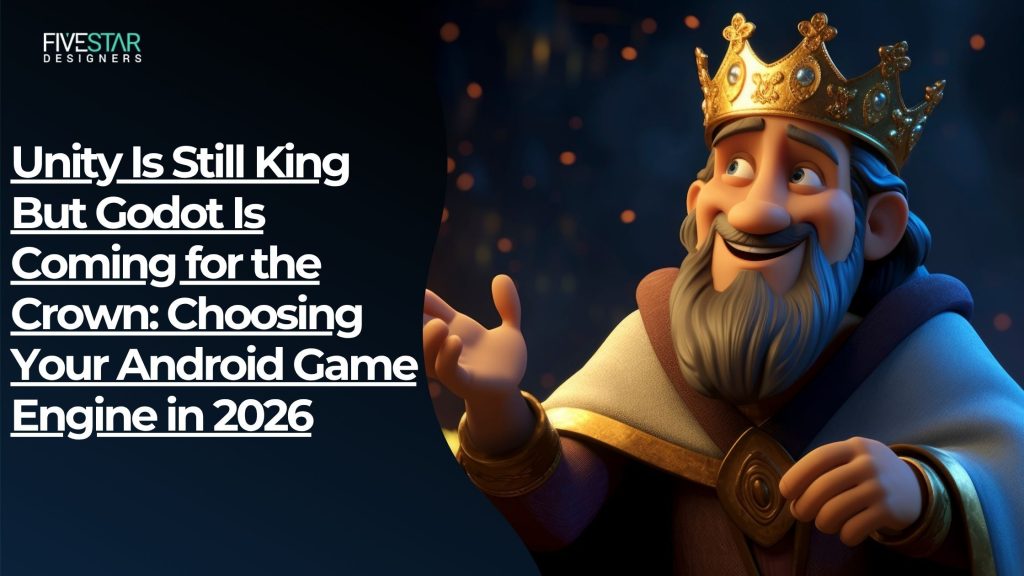
Unity powers about 70% of top-grossing mobile games. Godot just became production-ready in 2026. Both are solid. But they serve different teams.
Unity: Still the King of Android
Market Reach and Trust
Unity holds roughly 48% of the mobile market in 2026. Big studios trust it. Small teams use it too. It works across Android, iOS, PC, and console.
What Makes Unity Strong on Android
- Builds well on low and mid-range Android phones.
- Has over 70,000 assets in its store.
- Works with AdMob, AppLovin, and Unity LevelPlay right out of the box.
- Uses C# with Mono and IL2CPP.
- Unity 6.x added a faster Burst compiler and GPU Resident Drawer.
When to Pick Unity
Pick Unity when:
- You need to ship on multiple platforms.
- Your game needs strong ad and payment tools.
- Your team needs lots of tutorials and ready-made assets.
Godot: The Open-Source Challenger
Fast Growth, Zero Cost
Godot 4.6 launched in January 2026. It added Android device mirroring, Google Play Billing, and StoreKit 2. The editor is under 100MB. GDScript looks like Python. Beginners pick it up fast.
What’s the best part? It’s 100% free. No royalties. No seat fees. MIT license forever.
Where Godot Wins
- Excellent 2D engine.
- Great for indie and mid-size projects.
- Official Google Play Games Services plugins.
- No licensing risk at all.
- Fast to set up and test.
Where Godot Still Falls Short
- Fewer paid assets and UI kits.
- Ad network SDKs need community plugins.
- High-end 3D still trails Unity and Unreal.
When to Pick Godot
Pick Godot when:
- You’re building a 2D indie game.
- The budget is tight.
- You want zero licensing risk.
- Your team is small or just starting out.
Unity vs Godot for Android: Direct Comparison
This Unity vs Godot for Android breakdown shows you what each engine does best:
Feature | Unity | Godot |
Mobile Market Share | ~48% | Growing fast |
License | Proprietary | MIT, free forever |
2D Support | Excellent | Excellent |
3D Support | Strong, mobile-optimized | Good for mid-level games |
Scripting | C# | GDScript or C# |
Asset Store | 70,000+ assets | Smaller, community-driven |
Monetization SDKs | First-class support | Community plugins |
Learning Curve | Moderate | Easy for beginners |
Both engines work. They just work best for different teams and games.
Performance on Android Devices
Unity has a mature profiler. It handles ARM chips well. It runs smoothly on budget Android phones.
Godot 4.6 improved its Android export pipeline. It’s lighter on memory. But for heavy 3D games, Unity still wins on mid-range devices. Think about battery life too. Lighter engines help here.
Monetization and SDK Support
Unity connects directly with AdMob, AppLovin, and Unity Ads. Setup is fast. Everything is official. Godot uses community-built plugins for most ad networks. They work, but you may hit bugs. This matters a lot for Android game app development teams focused on ad revenue. If monetization is your top priority, Unity wins here.
How to Pick the Best Android Game Engine in 2026
Ask yourself these five questions to find the best Android game engine 2026 for your project:
- What does my game need to look like?
- Which platforms do I need to ship to?
- What does my team already know?
- How much revenue do I expect, and which license fits?
- How much do I need from an asset store?
Quick guide:
- Unity: Cross-platform at scale.
- Unreal: Cinematic 3D on high-end.
- Godot: 2D indie with zero licensing risk.
This mobile game development tools comparison shows there’s no single right answer. Match the engine to your game.
What’s Coming Next
Unity 6.x keeps improving. AI tools are being added. Godot’s roadmap focuses on mobile polish and a bigger plugin ecosystem. Other engines like Bevy and Defold are growing too. But Unity and Godot will dominate Android game app development for years.
The Bottom Line
Unity is still the strongest choice for most Android projects. It has the tools, the assets, and the monetization support to back you up. But Godot has earned its spot. For 2D games, indie projects, and teams that want zero licensing costs, it’s a real option now.
This mobile game development tools comparison isn’t about picking a winner. It’s about picking the right engine for your game. Don’t choose based on hype. Choose based on your game, your team, and your budget.
Ready to build your next Android game? Whether you need Unity experts, Godot developers, or a full engine consultation, 5StarDesigners has the team to help.
Get Started with 5StarDesigners